Snow Loads
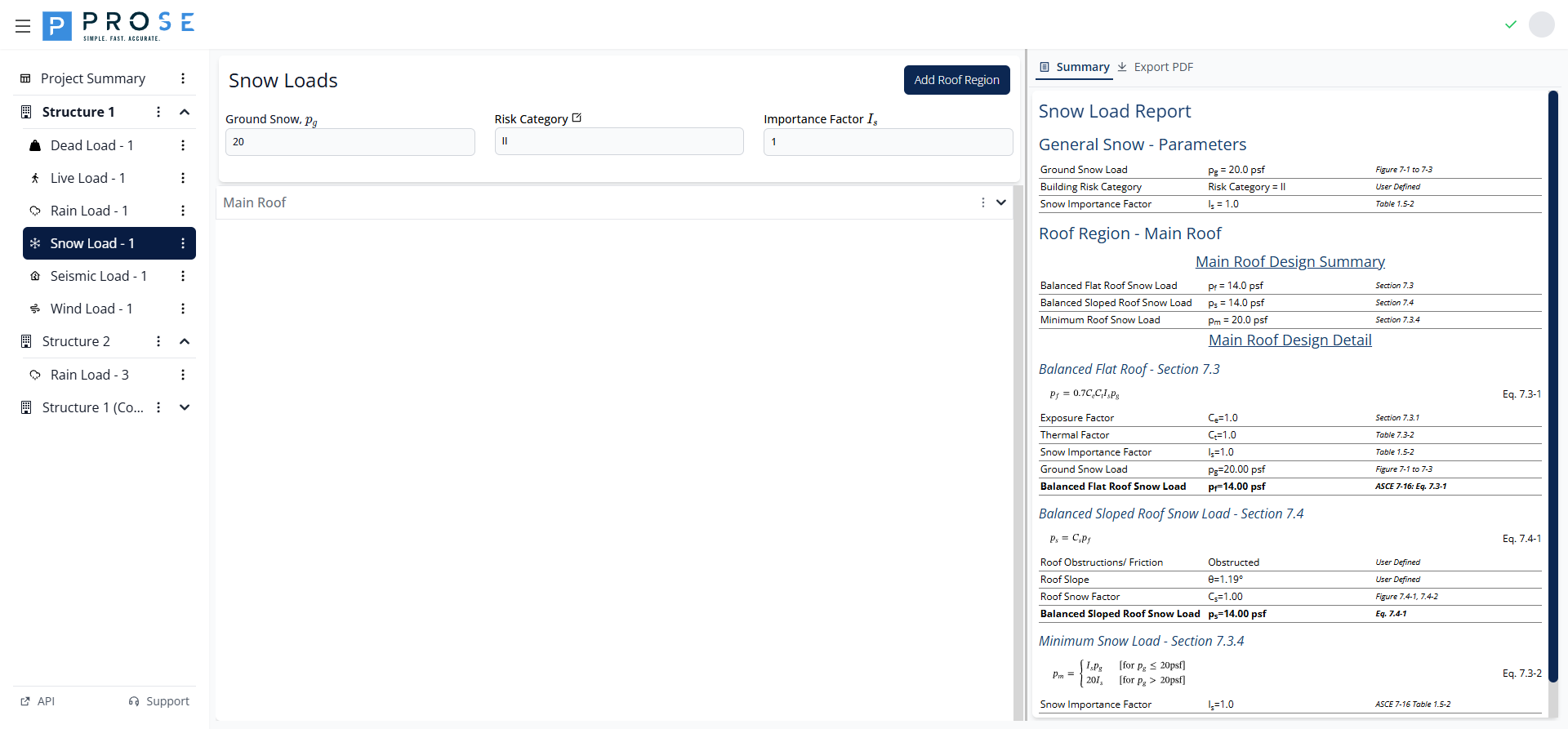
The Snow Load module calculates snow loads for roof structures based on ASCE 7-16 Chapter 7. The module supports multiple calculation types including flat roof snow loads, sloped roof snow loads, minimum snow loads, unbalanced loads, drift loads, and rain-on-snow surcharges.
Key Features
- Project-level ground snow and risk category inputs
- Multiple roof regions per project
- Nine different snow load calculation types
- Expandable/collapsible calculation sections
- Interactive tooltips for code tables
- Visual diagrams for drift calculations
- Summary view with all results
- Professional PDF export
Getting Started
- Navigate to your structure in the left sidebar
- Click the three-dot menu and select Add Module
- Choose Snow Load from the module list
- Enter the ground snow load (pg) for your project location
- Click Add Roof Region to create your first roof area
- Configure exposure and thermal factors for the roof
- Enable applicable design cases (drift, sliding, etc.)
- Review calculations in the Summary tab
Project-Level Inputs
At the top of the Snow Load module, you'll find project-level inputs that apply to all roof regions:
Ground Snow Input
| Parameter | Description |
|---|---|
| Ground Snow pg | Ground snow load in psf from ASCE 7-16 Figures 7.2-1 through 7.2-3 |
| Risk Category | Building risk category (I, II, III, or IV) set at project level |
| Importance Factor Is | Snow importance factor derived from Risk Category per Table 1.5-2 |
Roof Region Management
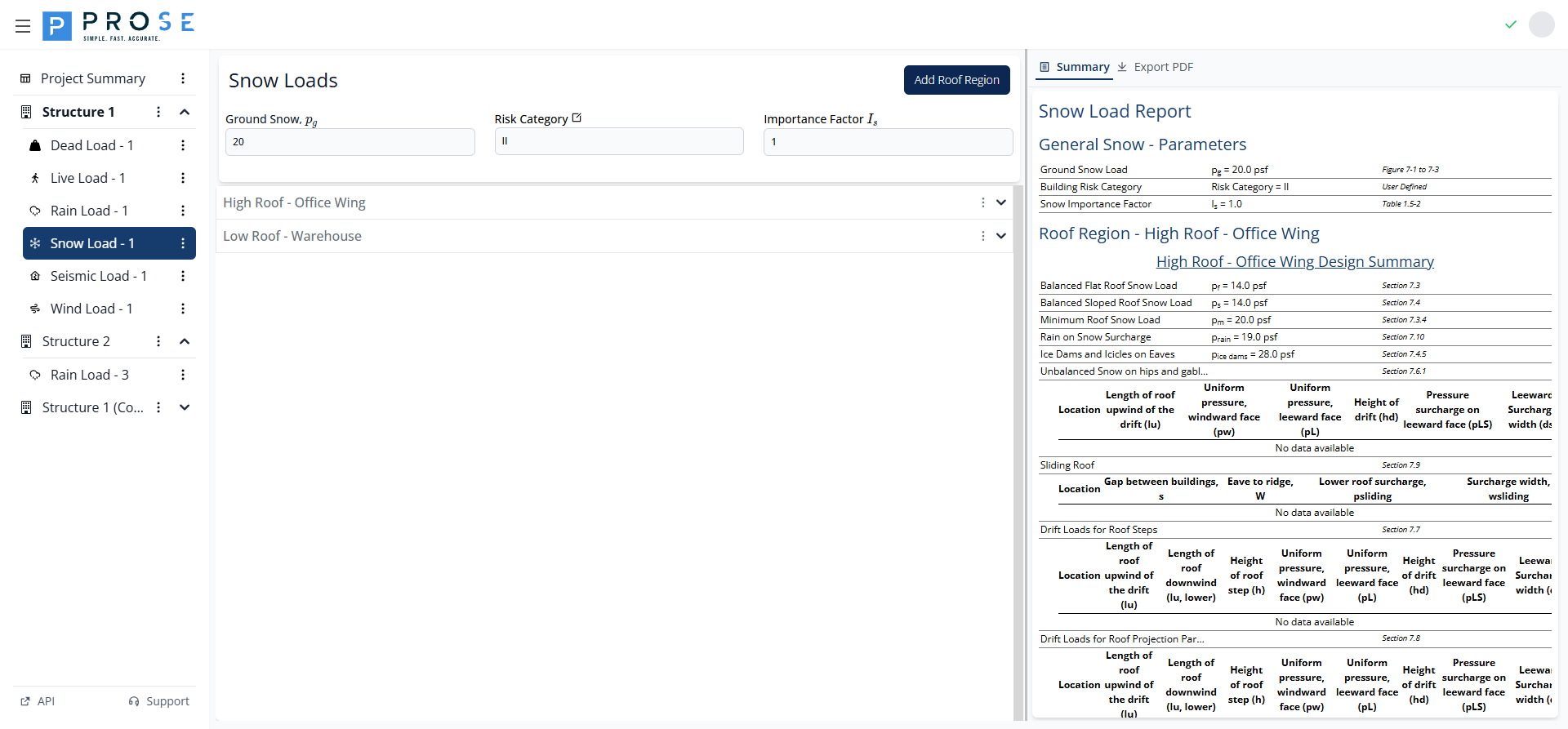
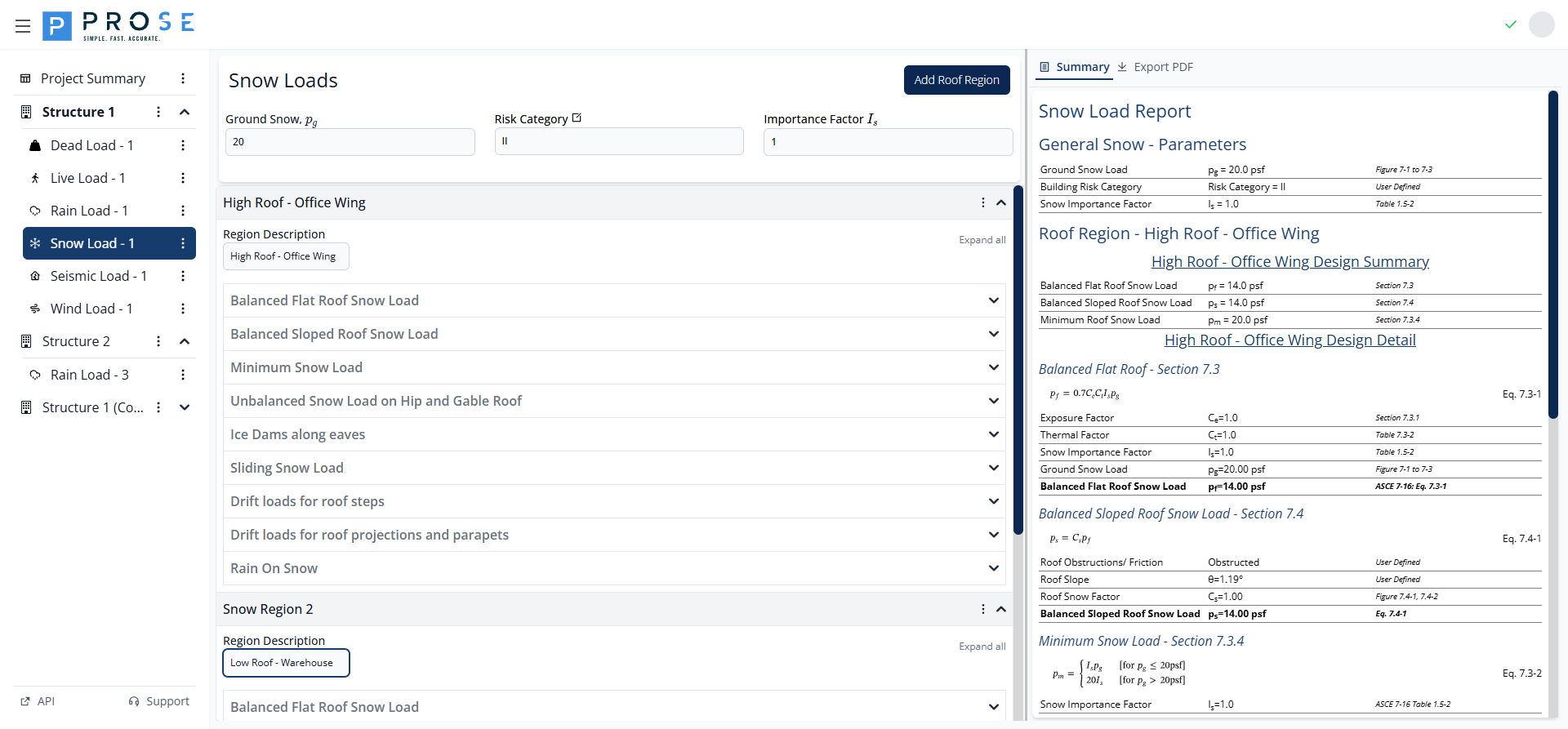
Snow loads are organized by roof regions. Each region represents a distinct portion of the roof with its own geometry and load calculations.
Adding Roof Regions
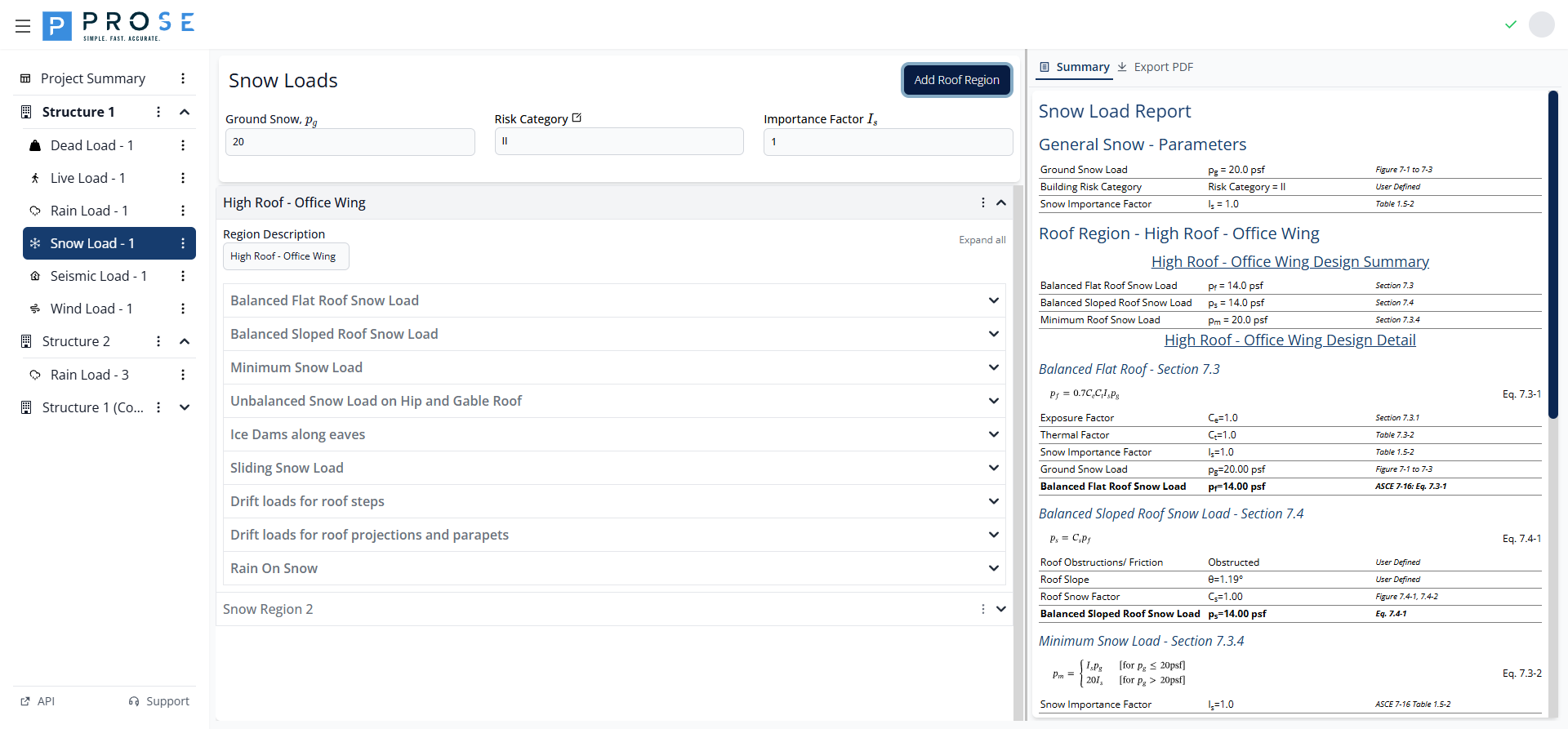
- Click Add Roof Region at the top of the module
- A new region appears with expandable calculation sections
- Enter a descriptive name in the Region Description field
Editing Roof Regions
Modify roof region settings at any time:
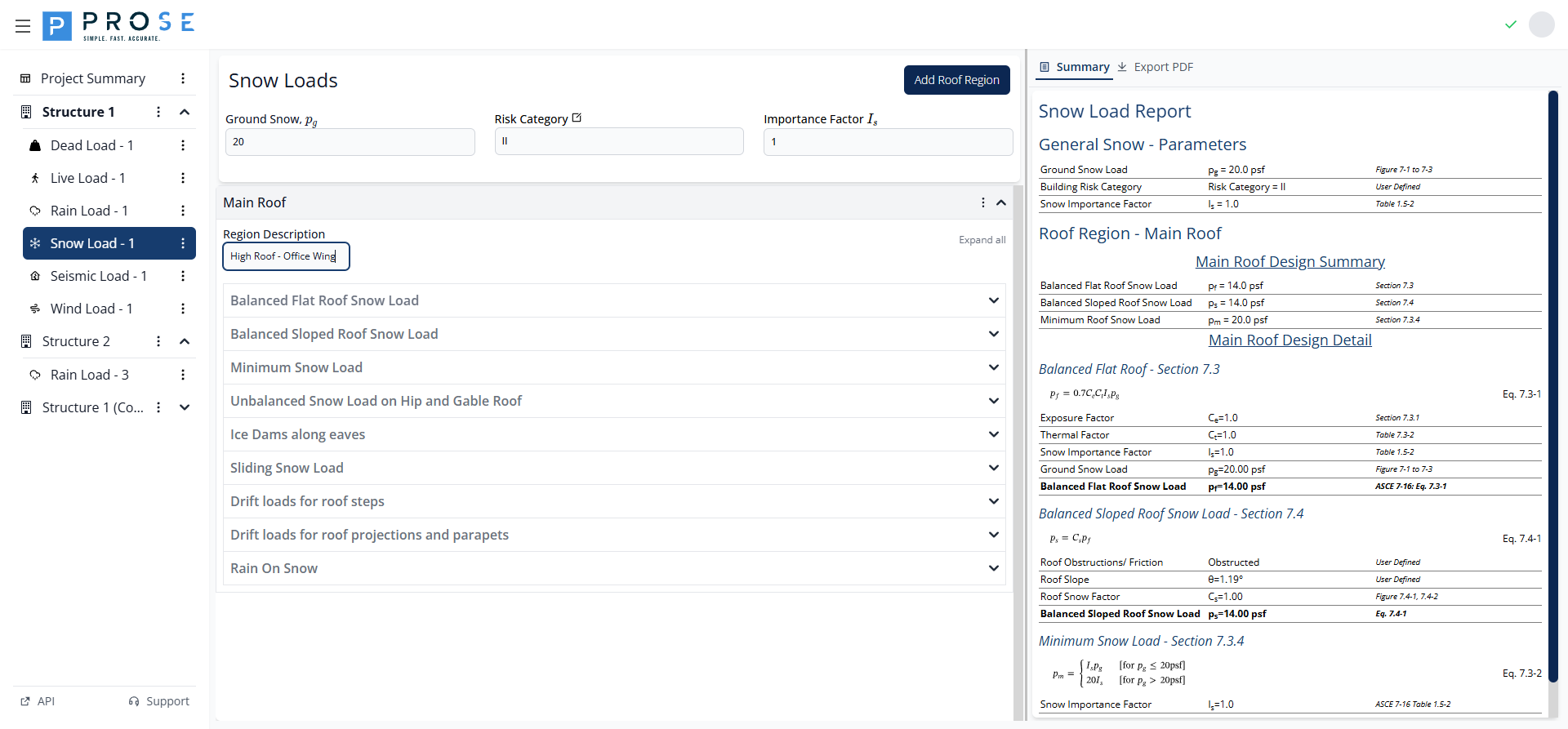
- Click on the region header to expand the panel
- Update the Region Description field to rename
- Modify calculation parameters as needed
- Enable or disable design cases using the checkboxes
- Changes are saved automatically
Deleting Roof Regions
Remove roof regions that are no longer needed:
- Click the three-dot menu (⋮) next to the region name
- Select Delete Region from the dropdown
- Confirm the deletion when prompted
Permanent Action
Deleting a roof region removes all its calculations and design cases. This action cannot be undone.
Naming Regions
Use descriptive names following ASCE naming conventions:
- "High Roof - Office Wing"
- "Low Roof - Warehouse"
- "Canopy - Main Entrance"
- "Mechanical Penthouse"
Multiple Regions
Projects can have multiple roof regions, each with independent calculations:
Region Options
Click the three-dot menu (⋮) next to a region name to access options:
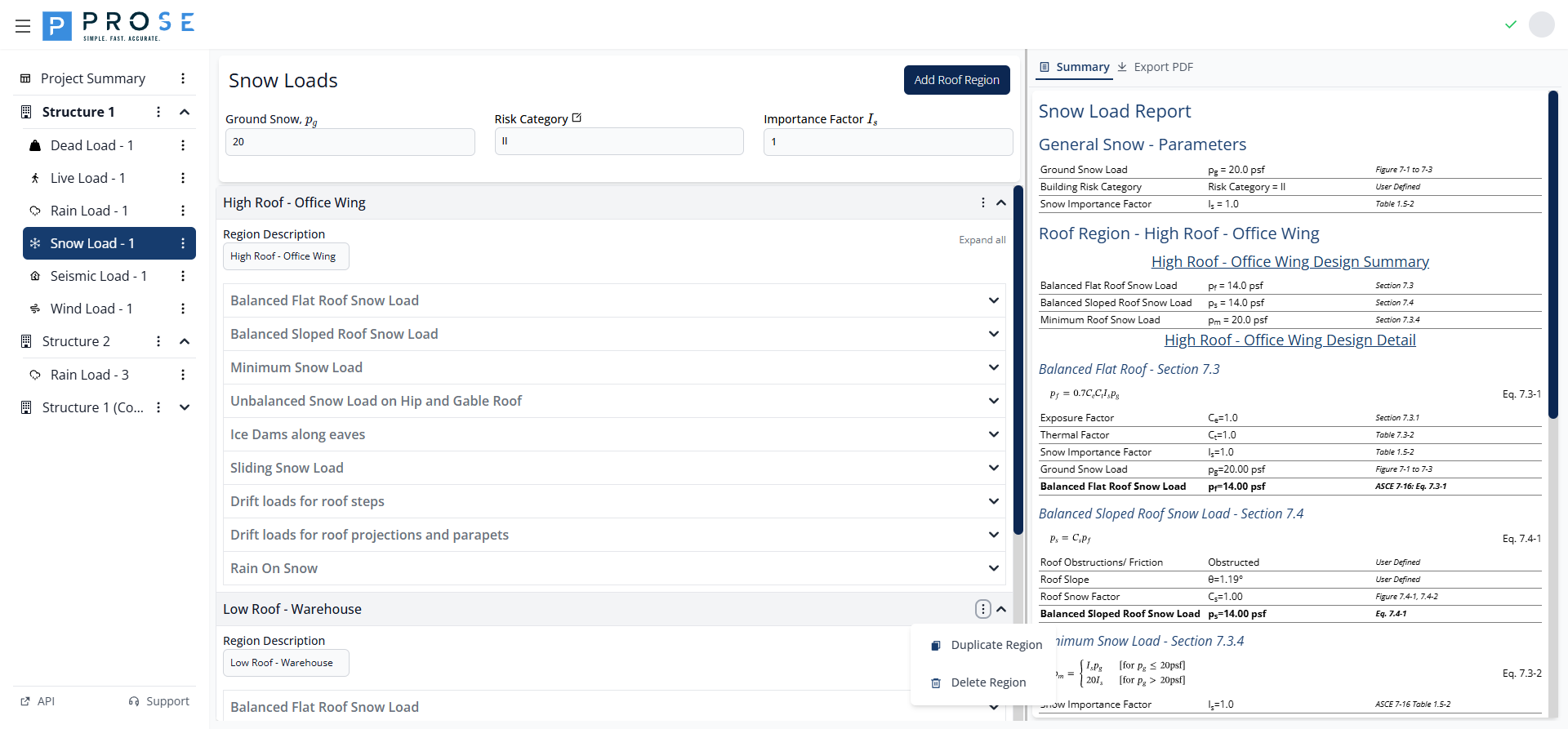
- Duplicate Region - Create a copy with all settings
- Delete Region - Remove the region permanently
Expanding and Collapsing
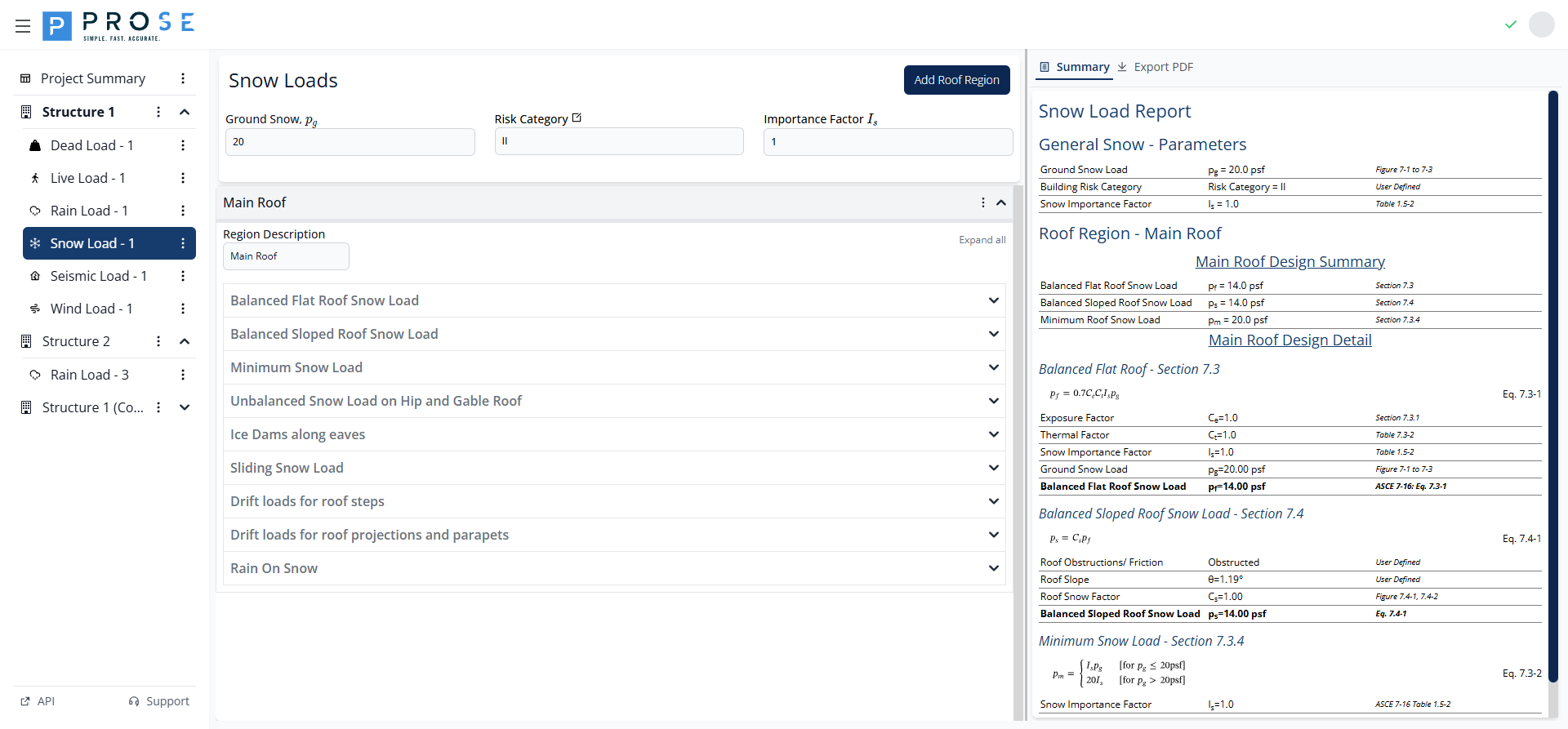
- Click a region header to expand/collapse the entire region
- Use Expand all / Collapse all buttons to show/hide all sections at once
Calculation Sections
Each roof region contains nine collapsible calculation sections. The first three (Balanced Flat Roof, Balanced Sloped Roof, Minimum Snow Load) are always included. The remaining six are optional design cases.
| Section | ASCE 7-16 Reference | Optional |
|---|---|---|
| Balanced Flat Roof Snow Load | Eq. 7.3-1 | No |
| Balanced Sloped Roof Snow Load | Eq. 7.4-1 | No |
| Minimum Snow Load | Eq. 7.3-2 | No |
| Unbalanced Snow on Hip and Gable | Section 7.6 | Yes |
| Ice Dams Along Eaves | Eq. 7.4-3 | Yes |
| Sliding Snow Load | Eq. 7.9-1 | Yes |
| Drift Loads for Roof Steps | Section 7.7 | Yes |
| Drift Loads for Projections/Parapets | Eq. 7.8-1 | Yes |
| Rain On Snow | Eq. 7.10-1 | Yes |
Including Design Cases
Optional sections have an INCLUDE DESIGN CASE checkbox. Check this box to include the load case in your design:
Balanced Flat Roof Snow Load
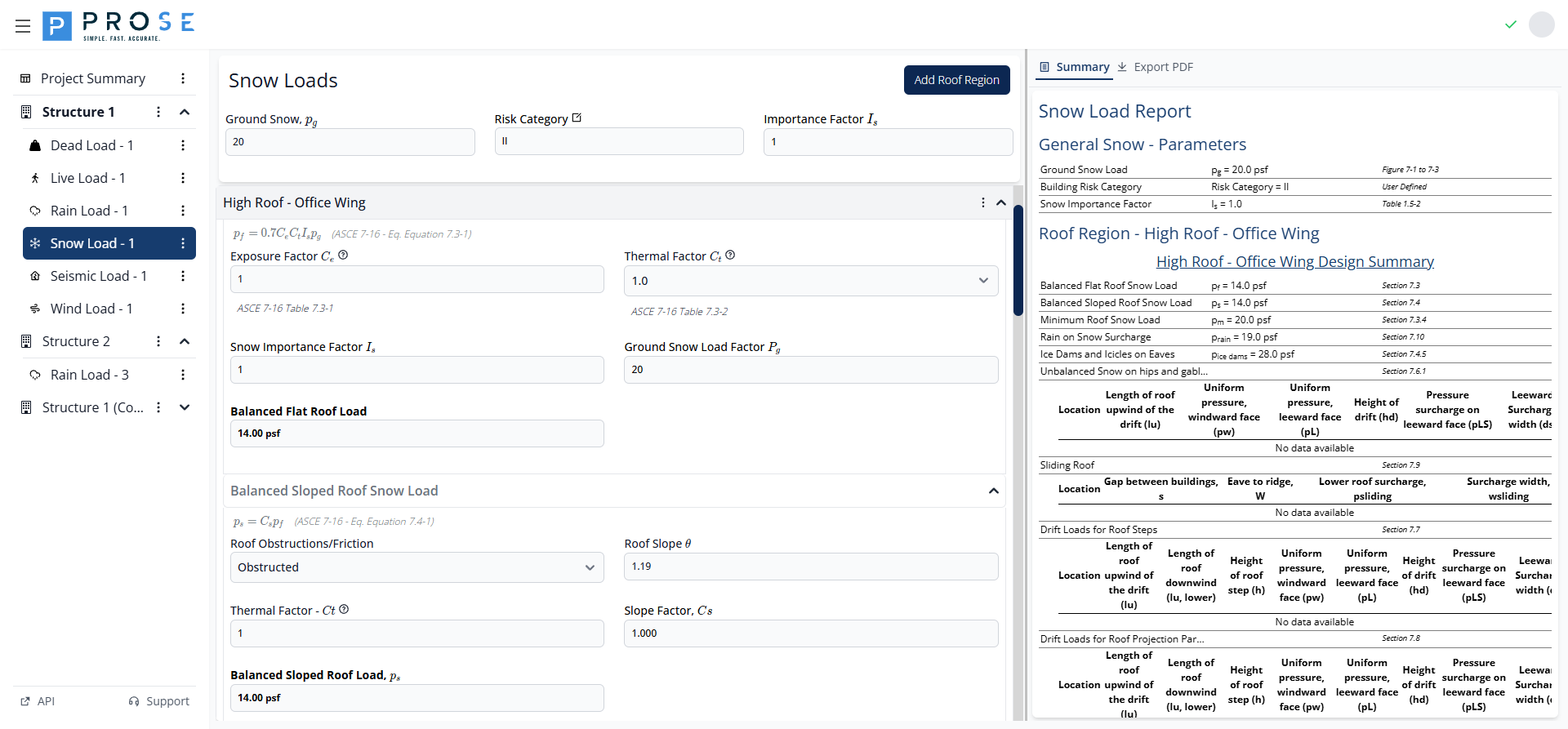
This section calculates the balanced flat roof snow load per ASCE 7-16 Equation 7.3-1:
Input Fields
| Field | Description | Range |
|---|---|---|
| Exposure Factor Ce | Site exposure condition | 0.7 - 1.2 |
| Thermal Factor Ct | Roof thermal condition | 0.85 - 1.3 |
Exposure Factor (Ce)
Select based on terrain category and roof exposure per ASCE 7-16 Table 7.3-1. Click the info button to view the complete table.
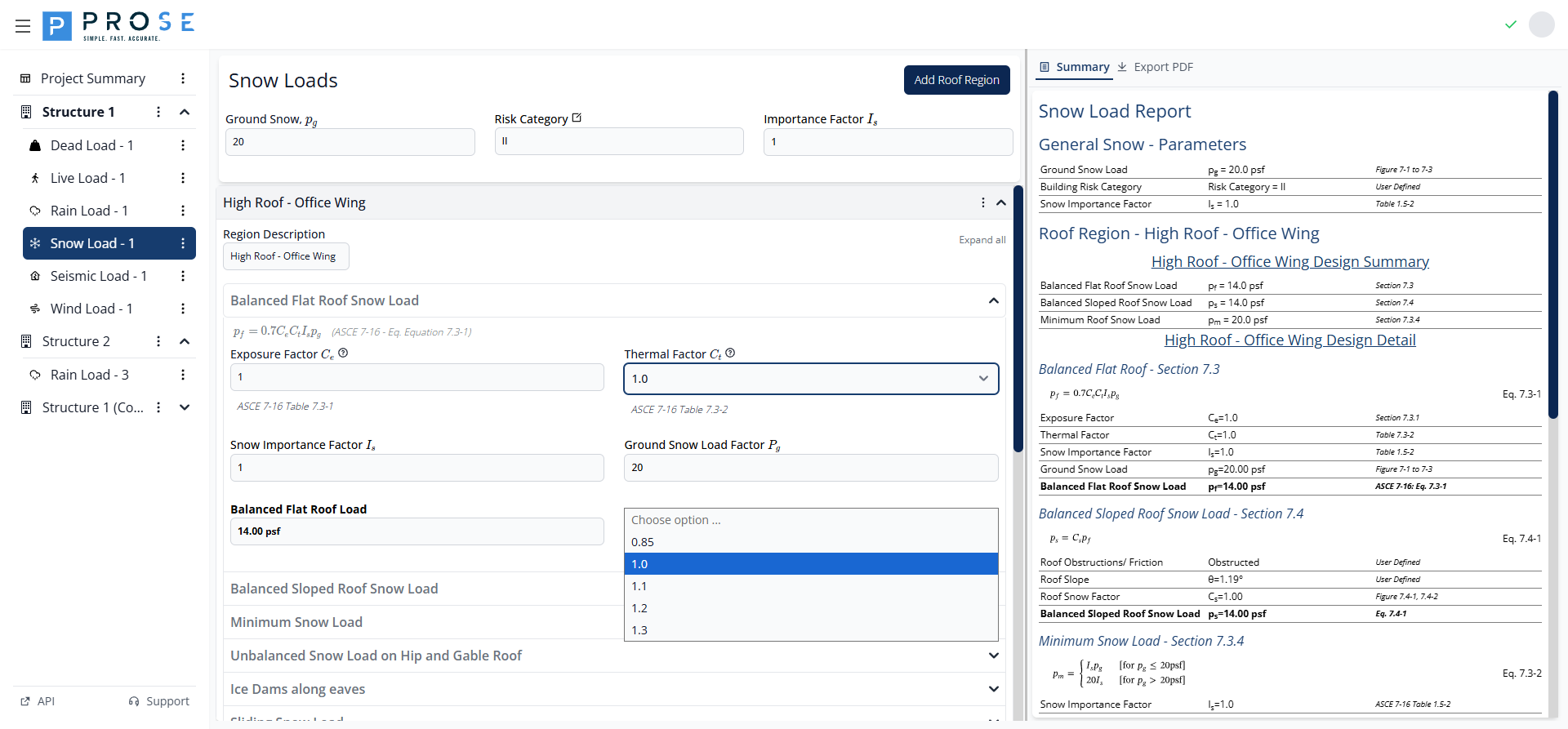
Thermal Factor (Ct)
Select from the dropdown based on roof thermal condition per ASCE 7-16 Table 7.3-2:
| Ct Value | Condition |
|---|---|
| 0.85 | Continuously heated greenhouse |
| 1.0 | All structures except below |
| 1.1 | Structures kept just above freezing |
| 1.2 | Unheated/open air structures |
| 1.3 | Freezer buildings |
Calculated Results
| Output | Description |
|---|---|
| Snow Importance Factor Is | From project risk category |
| Ground Snow Load Factor Pg | From project-level input |
| Balanced Flat Roof Load pf | Final calculated value (psf) |
Balanced Sloped Roof Snow Load
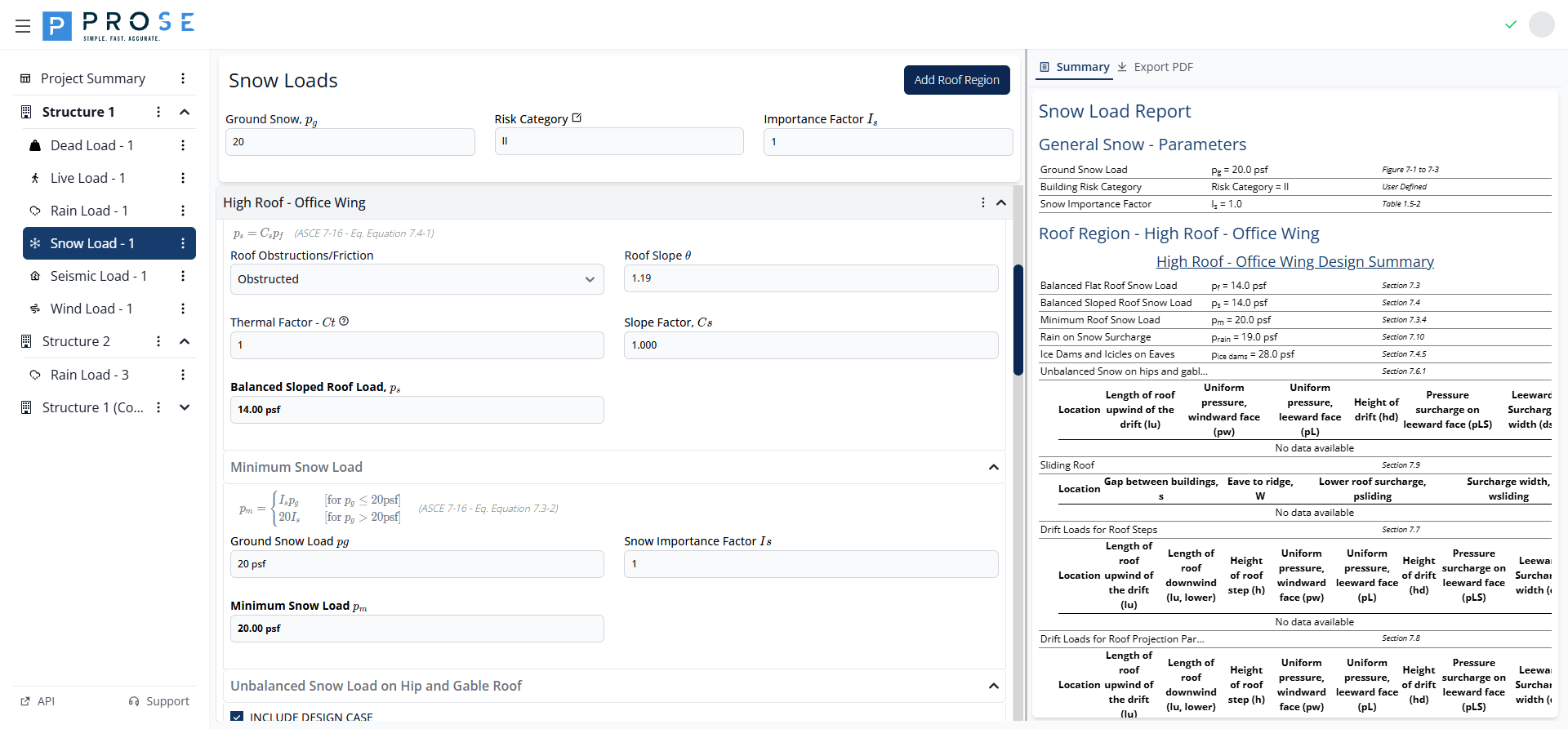
This section calculates the balanced sloped roof snow load per ASCE 7-16 Equation 7.4-1:
Input Fields
| Field | Description |
|---|---|
| Roof Obstructions/Friction | Surface condition (Obstructed or Unobstructed & Slippery) |
| Roof Slope θ | Roof slope angle in degrees |
Slope Factor (Cs)
The slope factor is automatically calculated based on:
- Roof slope angle
- Thermal factor Ct
- Roof surface condition (obstructed vs. slippery)
Per ASCE 7-16 Figure 7.4-1 (warm roofs) or Figure 7.4-2 (cold roofs).
Calculated Results
| Output | Description |
|---|---|
| Thermal Factor Ct | Inherited from Balanced Flat Roof section |
| Slope Factor Cs | Calculated from slope and conditions |
| Balanced Sloped Roof Load ps | Final calculated value (psf) |
Minimum Snow Load
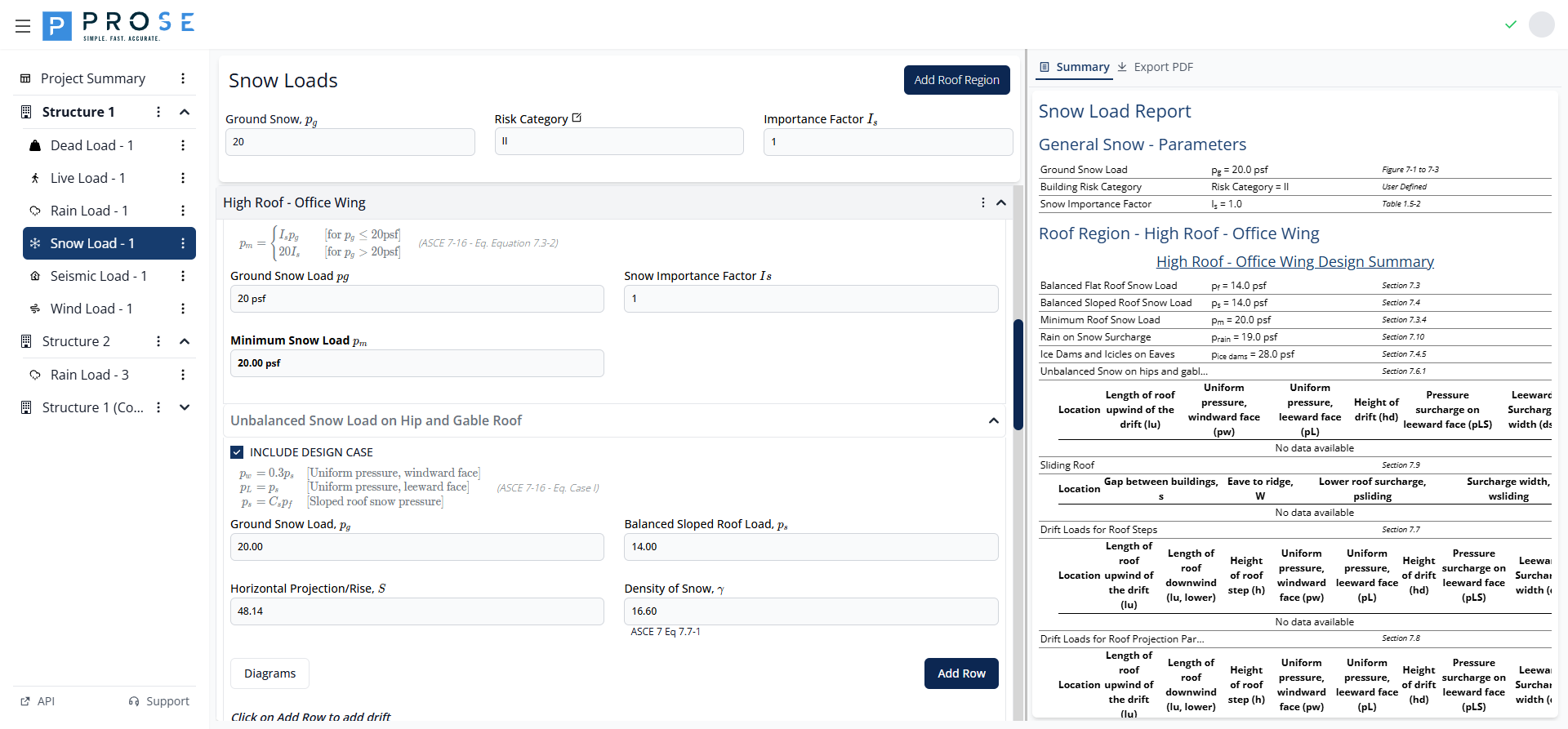
This section calculates the minimum snow load per ASCE 7-16 Equation 7.3-2. This represents the minimum roof snow load regardless of other calculations.
Formula
Calculated Results
| Output | Description |
|---|---|
| Ground Snow Load pg | From project-level input |
| Snow Importance Factor Is | From project risk category |
| Minimum Snow Load pm | Final calculated minimum (psf) |
Unbalanced Snow Load on Hip and Gable Roof
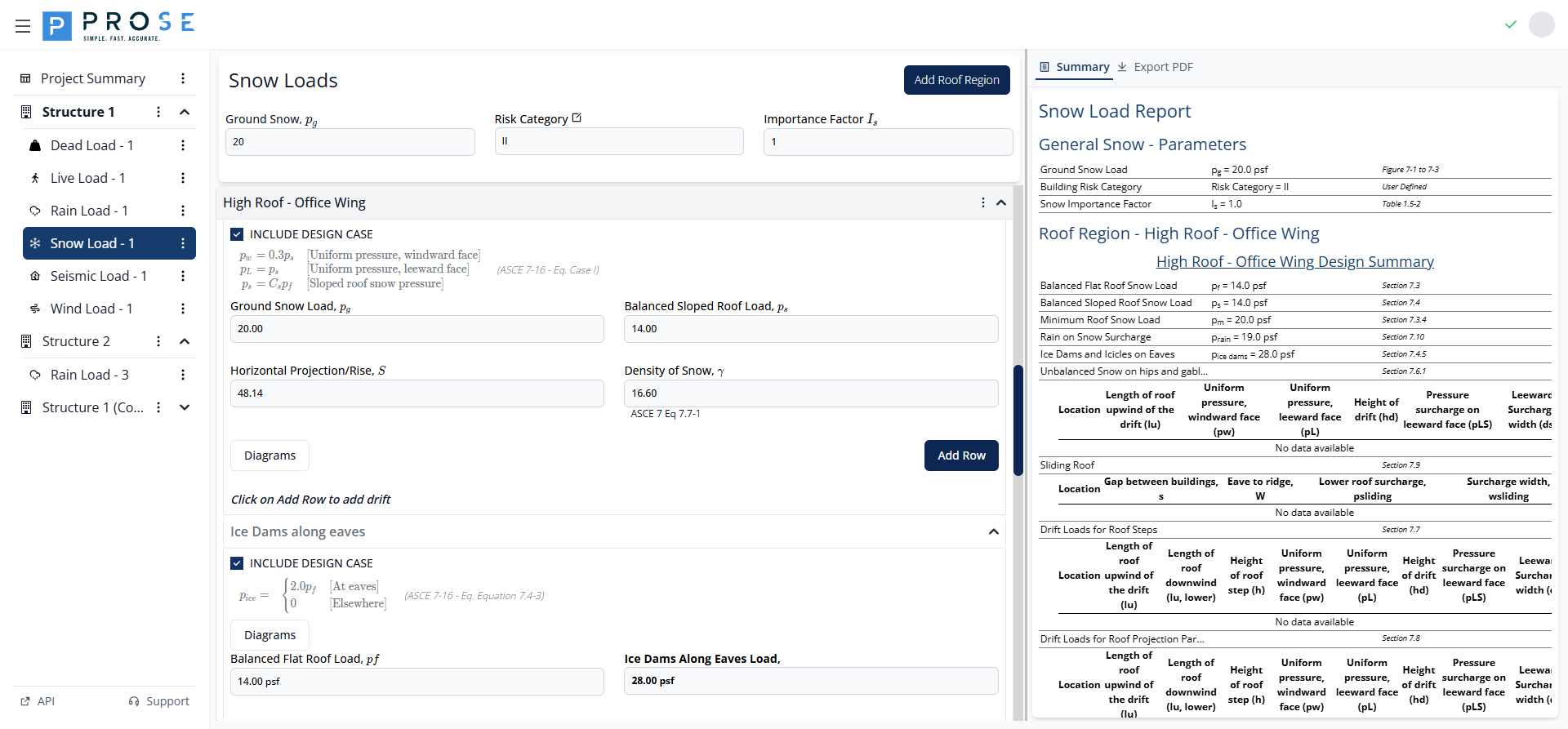
This section calculates unbalanced snow loads for hip and gable roofs per ASCE 7-16 Section 7.6.1. Unbalanced loads occur when wind redistributes snow to one side of the roof.
Applicability
Unbalanced loads are required when:
- Roof slope is between 2.38° (½:12) and 30.2° (7:12)
- Eave-to-ridge distance W > 20 ft (for simplified method)
Input Parameters
| Field | Description |
|---|---|
| Ground Snow Load pg | From project inputs |
| Balanced Sloped Roof Load ps | From previous calculation |
| Horizontal Projection/Rise S | Derived from roof slope |
| Density of Snow γ | Calculated per Eq. 7.7-1 |
Adding Drift Rows
Click Add Row to add drift load calculations for specific roof locations. Click Diagrams to view visual representations.
Ice Dams Along Eaves
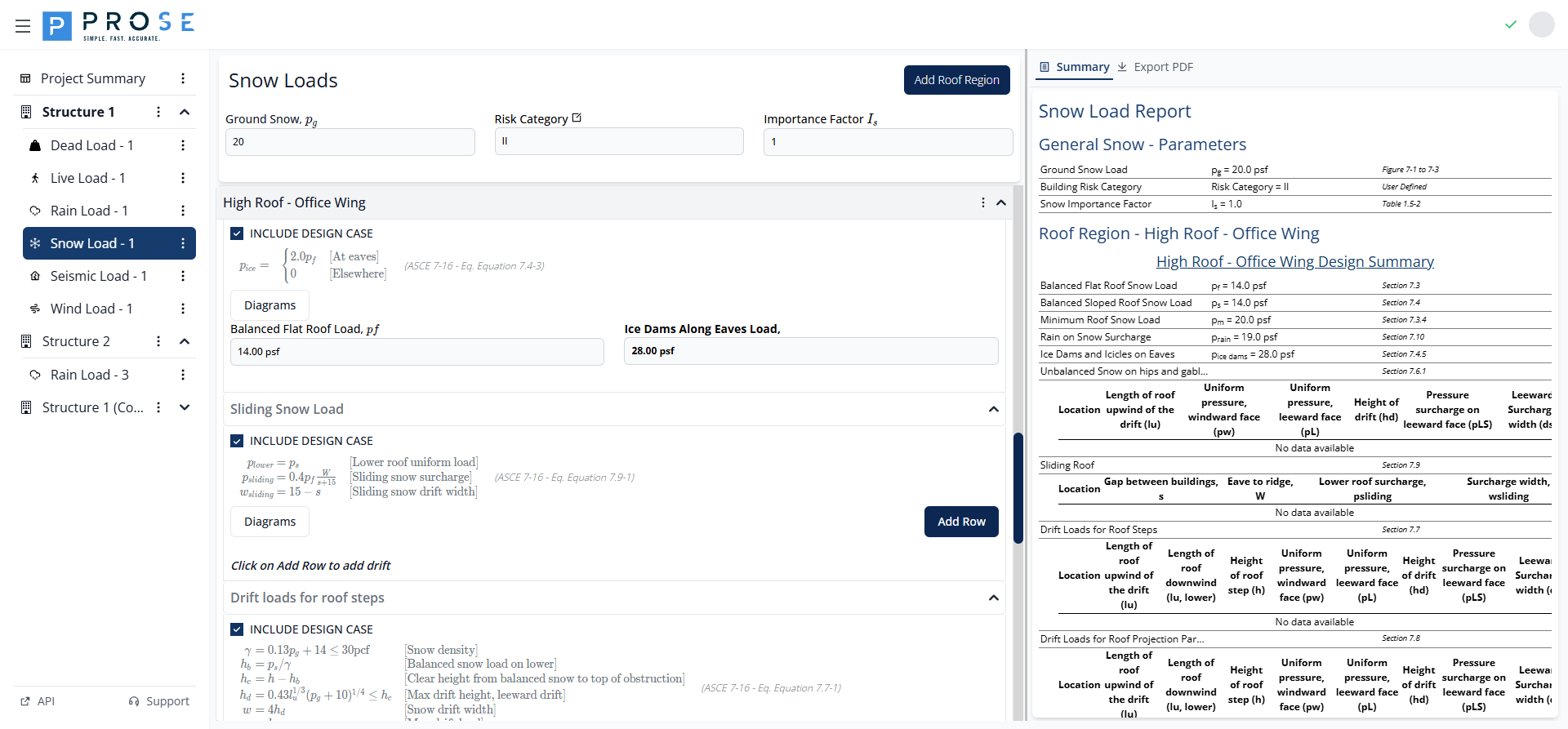
This section calculates loads from ice dams and icicles along eaves per ASCE 7-16 Section 7.4.5 and Equation 7.4-3:
When Required
Ice dam loads are required for:
- Unventilated roofs with R-value < 30 ft²·hr·°F/Btu
- Ventilated roofs with R-value < 20 ft²·hr·°F/Btu
Calculated Results
| Output | Description |
|---|---|
| Balanced Flat Roof Load pf | From flat roof calculation |
| Ice Dams Along Eaves Load pice | Double the flat roof load (psf) |
Design Consideration
The load on the overhang shall be based upon the flat roof snow load for the heated portion of the roof upslope of the exterior wall. No other loads except dead loads shall be present on the roof when this uniformly distributed load is applied.
Sliding Snow Load
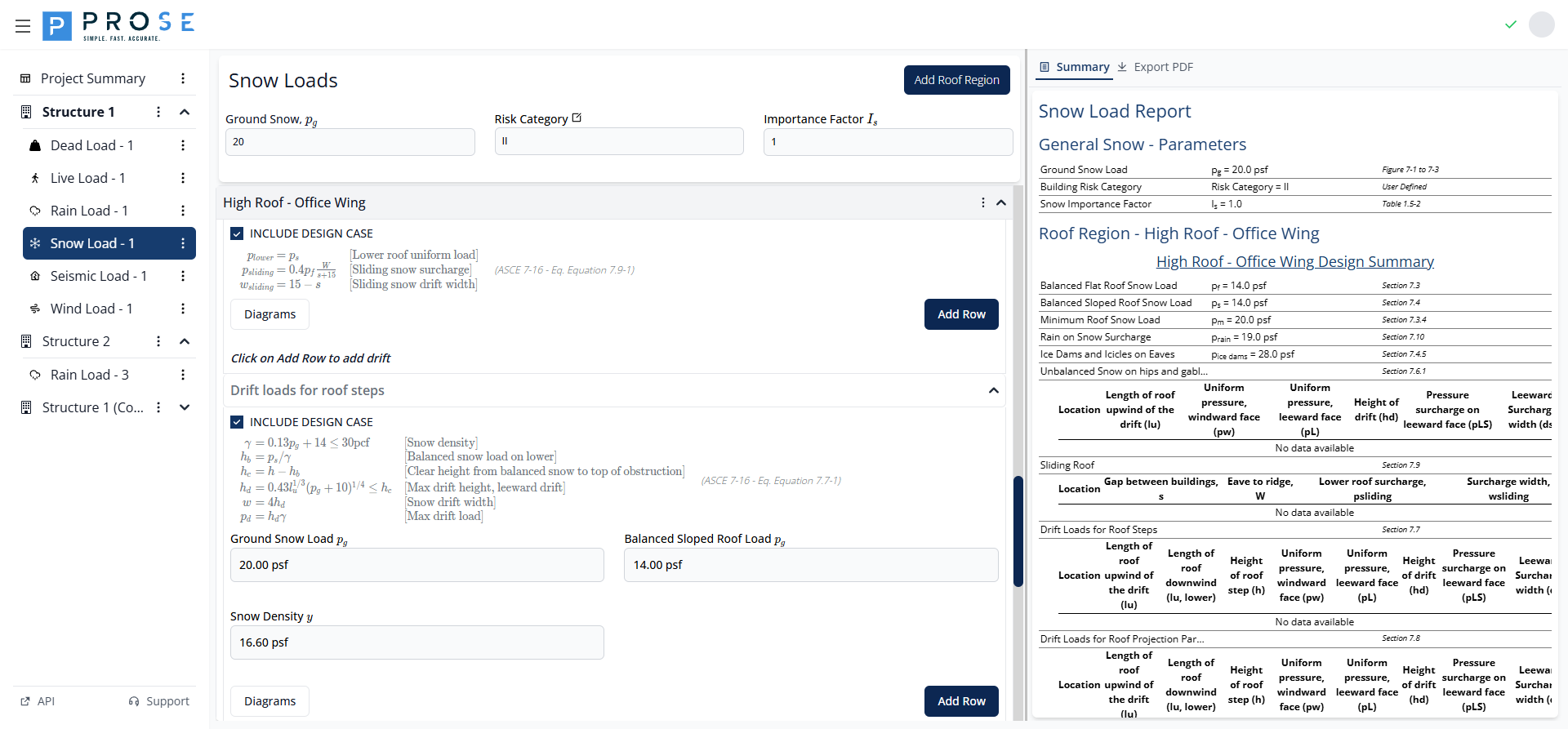
This section calculates loads from snow sliding off an upper roof onto a lower roof per ASCE 7-16 Section 7.9 and Equation 7.9-1.
Formula
Where:
- Ws = Width of upper roof (eave to ridge)
- s = Gap between buildings
Adding Sliding Snow Locations
Click Add Row to define sliding snow scenarios. Click Diagrams to visualize the load distribution.
Drift Loads for Roof Steps
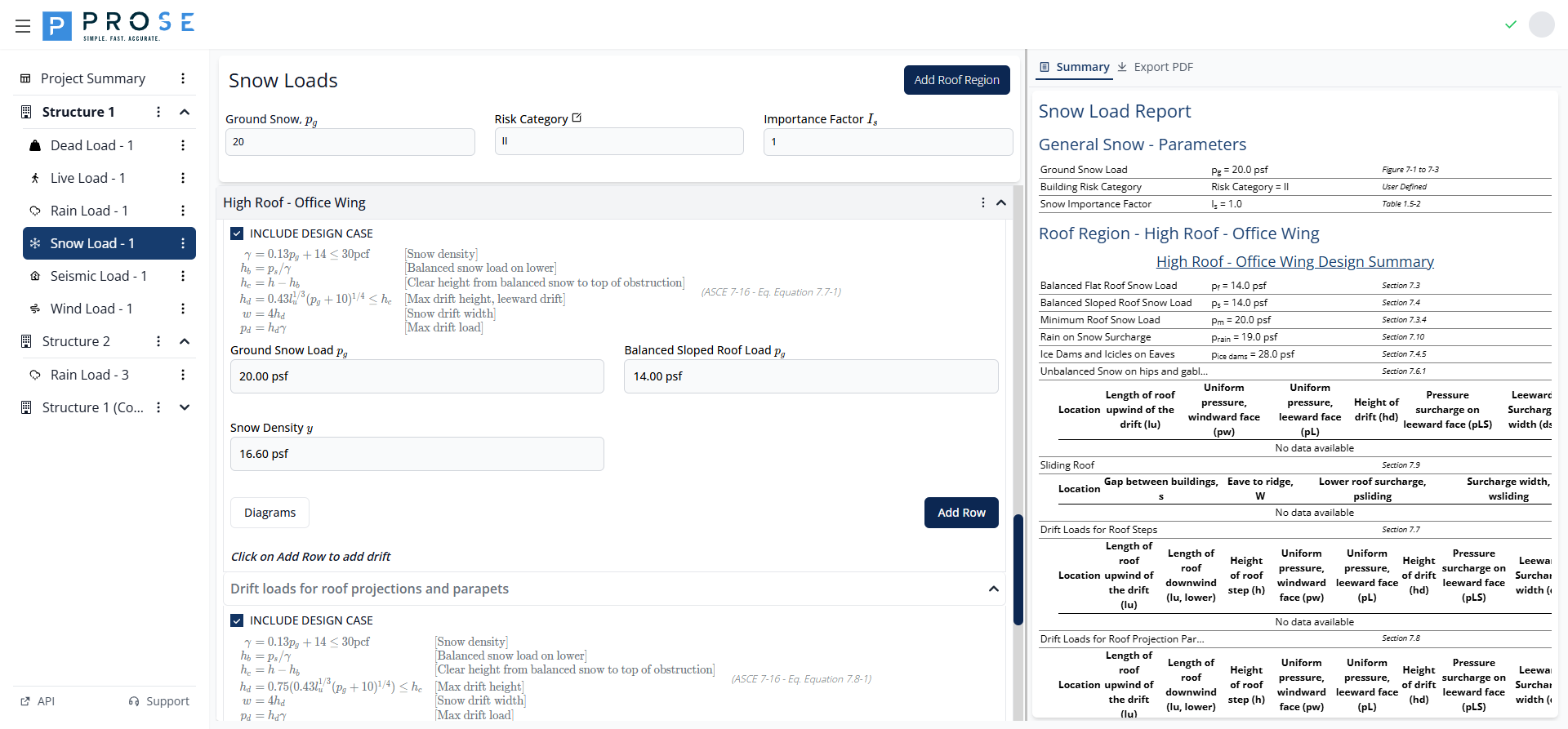
This section calculates drift loads at roof elevation changes per ASCE 7-16 Section 7.7.
Key Parameters
| Parameter | Description | Formula |
|---|---|---|
| Snow Density γ | Density of drifted snow | 0.13·pg + 14 ≤ 30 pcf |
| Balanced Snow Height hb | Height of balanced snow | ps / γ |
| Clear Height hc | Available space for drift | h - hb |
| Drift Height hd | Maximum drift height | 0.43·lu(⅓)·(pg+10)(¼) ≤ hc |
| Drift Width w | Width of triangular drift | 4·hd |
| Drift Load pd | Maximum drift surcharge | hd · γ |
Adding Drift Locations
Click Add Row to add calculations for each roof step location.
Drift Loads for Projections and Parapets
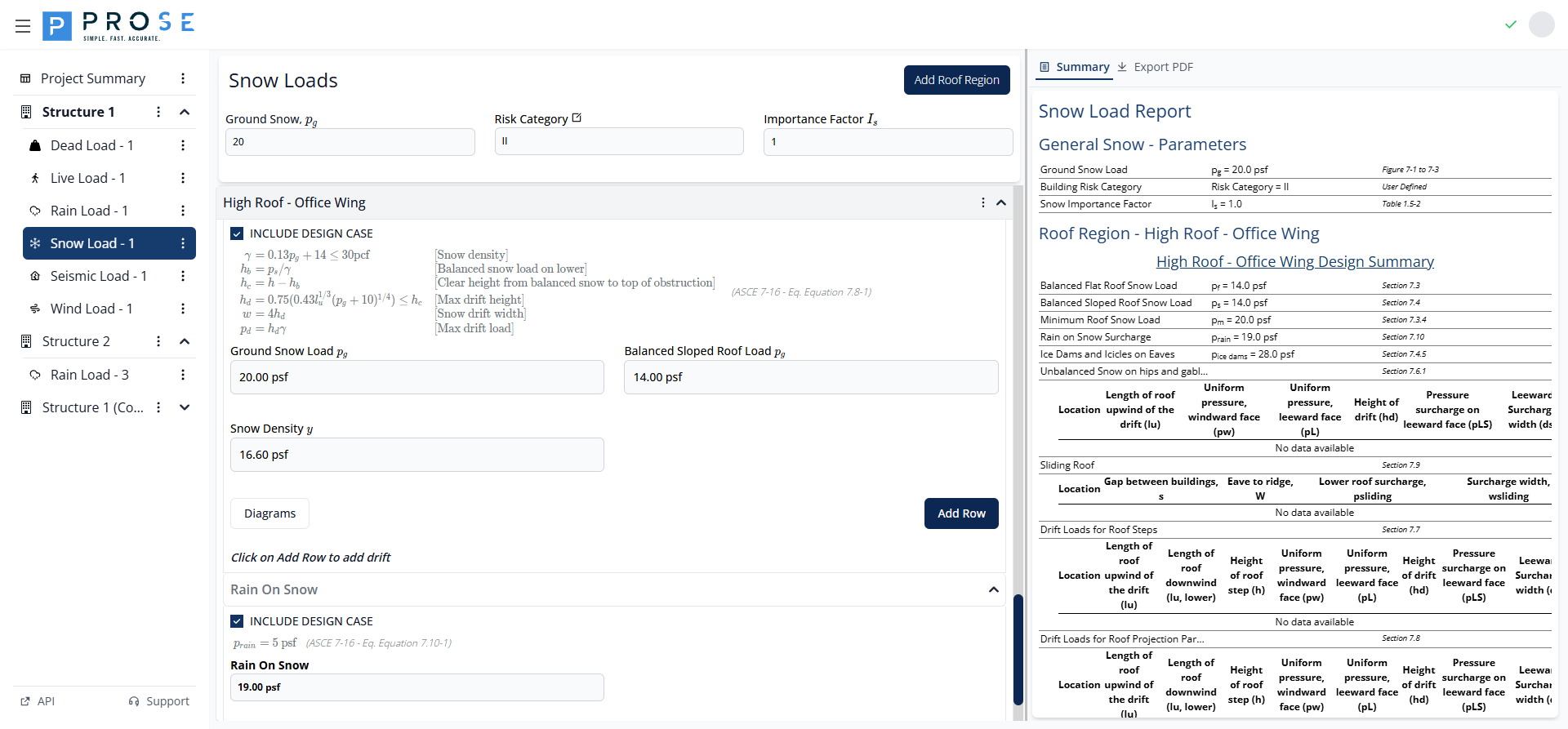
This section calculates drift loads at roof projections and parapets per ASCE 7-16 Section 7.8 and Equation 7.8-1.
Key Difference from Roof Steps
For projections and parapets, the drift height is reduced by 75%:
Input Table
| Field | Description |
|---|---|
| Location | Descriptive name for the drift |
| lu upper | Length of roof upwind of drift (ft) |
| lu lower | Length of roof downwind of drift (ft) |
| h | Height of projection or parapet (ft) |
Rain On Snow
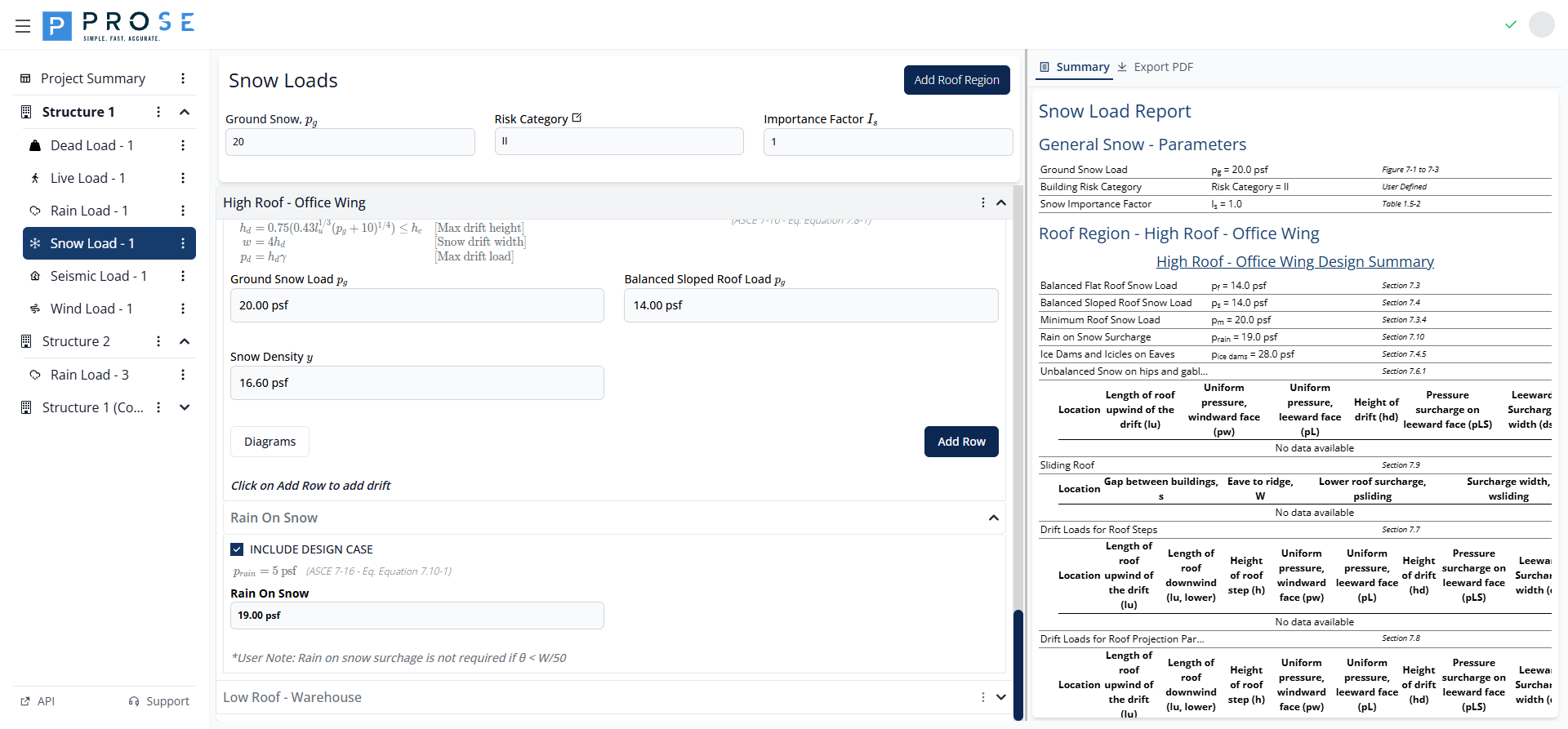
This section calculates the rain-on-snow surcharge per ASCE 7-16 Section 7.10 and Equation 7.10-1.
Applicability
The 5 psf rain-on-snow surcharge applies when:
- Ground snow load pg ≤ 20 psf
- Roof slope θ < W/50
Formula
User Note
Rain on snow surcharge is not required if θ < W/50
Summary View
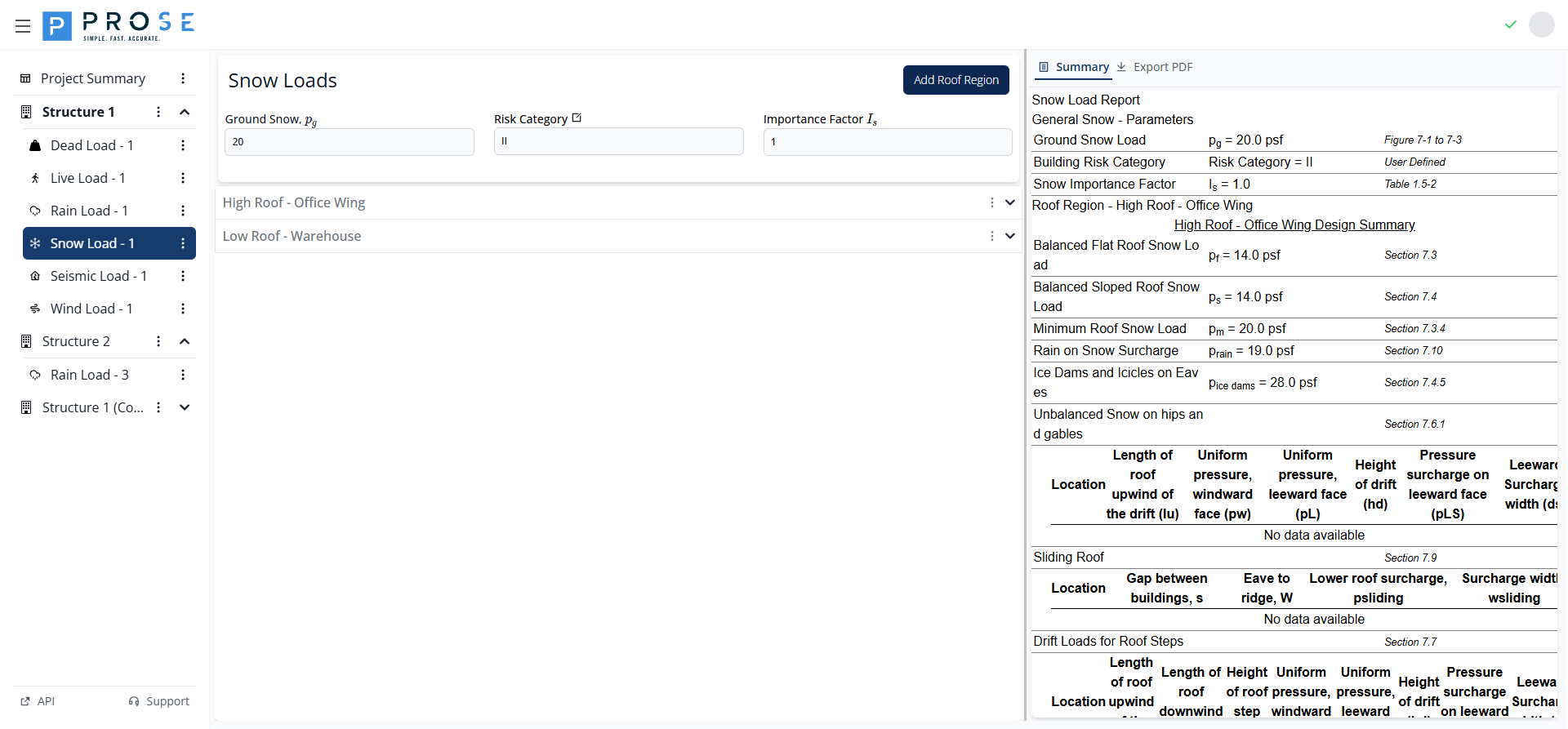
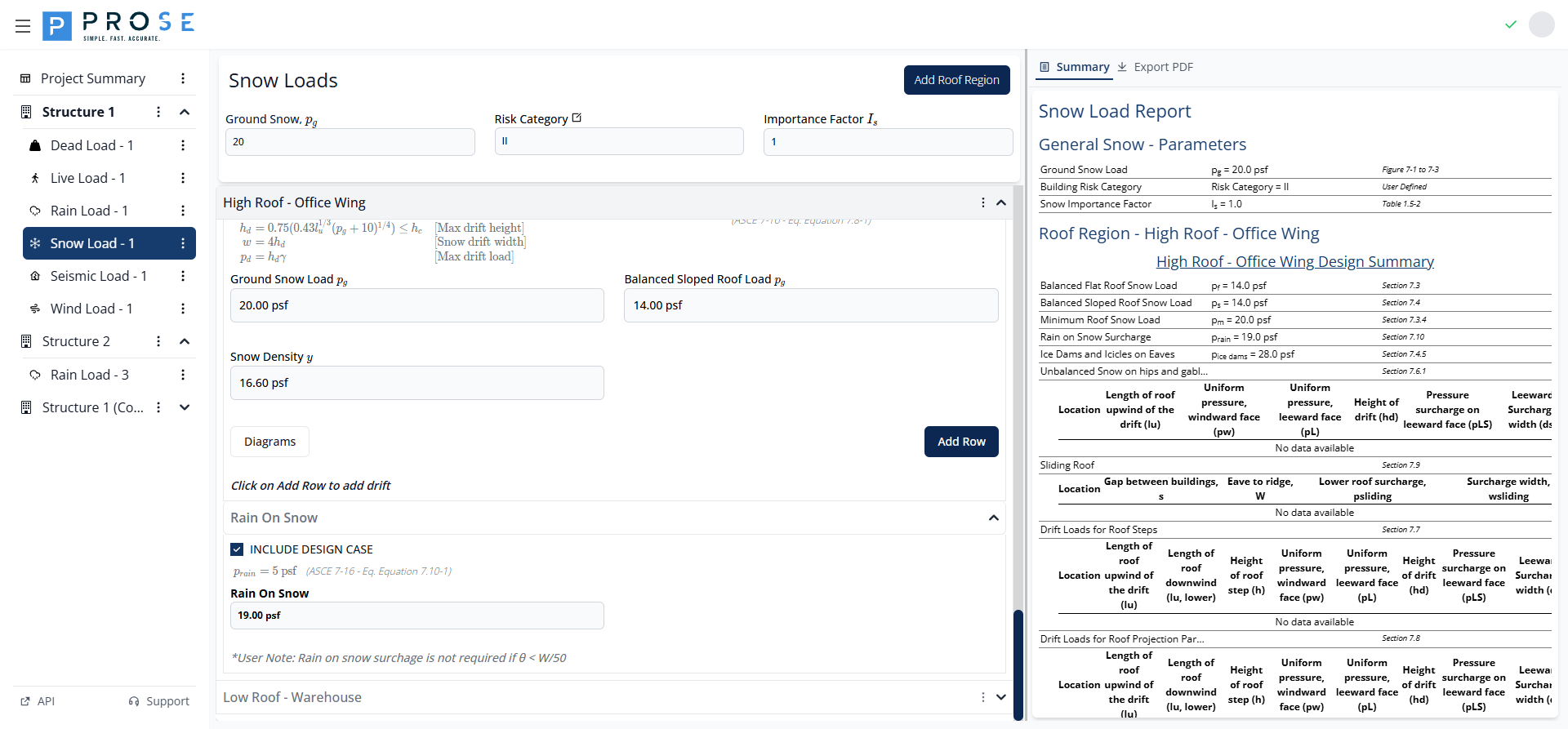
Click the Summary tab to view a comprehensive report of all snow load calculations:
Report Contents
General Snow Parameters:
- Ground Snow Load pg with code reference
- Building Risk Category
- Snow Importance Factor Is
Roof Region Summaries:
For each region, the report includes:
- Design Summary with key load values
- Design Detail sections with complete calculations
- Code equation references for each value
PDF Export
Click the Export PDF tab to generate a professional PDF report.
PDF Contents
- Project Header: Project name, engineer, ID, and design code
- Company Branding: Prose Engineering logo
- General Parameters: All project-level snow load inputs
- Roof Region Calculations: Complete calculation details
- Summary Tables: Key results in professional format
- Page Numbers: Footer with pagination
Best Practices
See Also
- For coordinating snow loads with other roof loads, see the Roof Design Workflow
- For rain-on-snow surcharge, review the Rain On Snow section above
- For troubleshooting drift issues, see Snow Load Issues
Region Organization
- Create separate regions for each distinct roof area
- Use ASCE-style descriptive names (e.g., "High Roof - Office Wing")
- Include all applicable design cases for each region
Design Case Selection
- Check INCLUDE DESIGN CASE for applicable optional loads
- Hip and gable loads: Required for slopes 2.38° to 30.2°
- Ice dams: Required for low R-value roofs
- Drift loads: Required at elevation changes and obstructions
- Rain on snow: Required when pg ≤ 20 psf and low slopes
Drift Analysis
Drift loads at roof steps often govern design. Always check both leeward and windward drift heights, and verify the clear height (hc) allows for the calculated drift.
Quality Control
- Verify ground snow load with local building official
- Review calculated values against typical ranges
- Check that drift heights don't exceed clear heights
- Use Diagrams buttons to visualize load distributions
- Export PDF for documentation and review
Code Reference
Snow load requirements per ASCE 7-16 Chapter 7:
- Section 7.2: Ground snow loads shall be based on mapped values or site-specific studies
- Section 7.3: Minimum roof snow loads apply to all roofs regardless of slope
- Section 7.6: Unbalanced loads must be considered for gable and hip roofs within slope limits
- Section 7.7: Drift loads at steps require both windward and leeward drift analysis
- Section 7.10: Rain-on-snow surcharge applies only to low-sloped roofs in areas with pg ≤ 20 psf
- Section 7.4.5: Ice dam loads apply to inadequately insulated roofs in cold regions